Nippon Labs
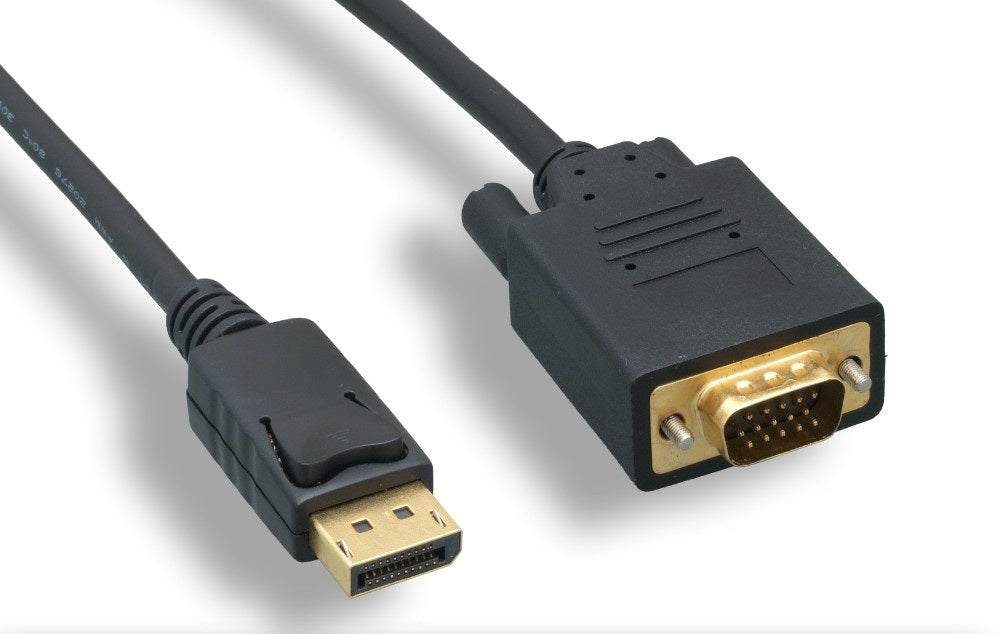
Nippon Labs DisplayPort to VGA Cable, Black 28AWG, 1080p@60Hz with Latch M/M
Nippon Labs DisplayPort to VGA Cable, Black 28AWG, 1080p@60Hz with Latch M/M
Couldn't load pickup availability
A DisplayPort male to VGA male cable in black, 28 AWG, compliant with DisplayPort 1.2 and carrying resolutions up to 1920 × 1200 at 60 Hz. The DisplayPort end has latches so it will not fall out of a desktop, and the VGA end is the familiar 15-pin analogue connector with thumbscrews.
DISPLAYPORT MALE TO VGA MALE CABLE 28AWG
- Compliant with DP1.2 specification
- Connect a DisplayPort equipped computer to a monitor or projector with VGA connector.
- Support resolutions up to 1920 x 1200@60Hz.
- Gold-plated connector provides superior transmission, high reliability and durability.
- DisplayPort connector with latches keeps cable securely plugged in.
- All relevant materials are complied with RoHS directive.
| Connector A : | DisplayPort Male |
| Connector B : | VGA Male (HD15 Pin) |
| Conductors : | 28 AWG. x 3 Pairs + 28 AWG. x 5C |
| Cable Color : | Black Color |

What it's for
- Driving an older VGA monitor or projector from a modern computer that only has DisplayPort.
- Conference rooms, classrooms and church halls where the projector predates HDMI.
- Getting a second screen out of a spare VGA panel instead of buying a new one.
- Legacy industrial and medical displays that were never replaced.
Good to know
Does this work in both directions?
No. It converts a DisplayPort output to a VGA display. It cannot take a VGA source and feed a DisplayPort monitor — that needs a different, powered converter.
Does it carry audio?
No. VGA is an analogue video-only connection with no audio pins, so sound has to travel separately over a 3.5 mm lead, HDMI, USB or the display's own input.
Why is the maximum 1920 × 1200?
That is the practical ceiling for a clean analogue VGA signal over a cable of this construction. Higher resolutions are possible on paper but soften noticeably; if you need more, use a digital connection.
What are the latches for?
DisplayPort connectors have a sprung latch that locks into the socket. Press the release on the connector before pulling — yanking a latched DP cable is a good way to damage a port.
Related reading
Monitor cable types: identify every port on your desk · DisplayPort vs HDMI: which cable should you use? · All DisplayPort cables
Specifications
| Connectors | DisplayPort to VGA |
| Wire gauge | 28 AWG |
| Color | Black |
Guides & resources