Nippon Labs
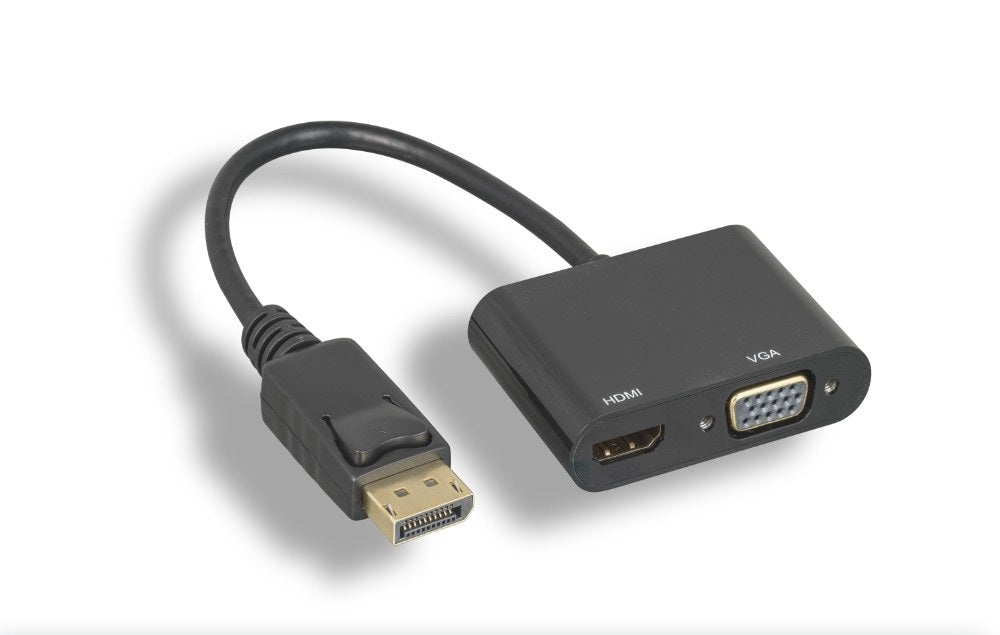
Nippon Labs DisplayPort to HDMI/VGA Adapter, 4K Ready, DP 1.2 Male with Latch
Nippon Labs DisplayPort to HDMI/VGA Adapter, 4K Ready, DP 1.2 Male with Latch
Couldn't load pickup availability
A DisplayPort 1.2 male adapter with both an HDMI and a VGA female output, for connecting a computer with a DisplayPort output to an HDMI or VGA monitor, TV or projector. It supports HDMI up to 4K x 2K at 30 Hz and VGA up to 1920 x 1200 at 60 Hz. The latching DisplayPort plug keeps it securely seated.
Specifications
- Input: DisplayPort male with latch (DP 1.2, compatible with lower versions)
- Outputs: HDMI female and VGA (HD15) female
- Type: passive adapter; requires a DP++ (dual-mode DisplayPort) source port
- HDMI resolution: up to 4K x 2K at 30 Hz
- VGA resolution: up to 1920 x 1200 at 60 Hz
- HDCP content protection, EDID pass-through, 3D format support
- Automatic power management
- Gold-plated connector
- Colour: black
- RoHS compliant materials
Good for
- Connecting a desktop or laptop DisplayPort output to an HDMI monitor or TV
- Driving an older VGA monitor or projector from a DisplayPort computer
- Keeping one adapter on hand for rooms with either HDMI or VGA displays
FAQ
Does it work in both directions?
No. It is one-way only: a DisplayPort source to an HDMI or VGA display. It will not take an HDMI or VGA source and send it to a DisplayPort monitor.
Can I use the HDMI and VGA outputs at the same time?
No. Only one output receives the signal at a time. If both an HDMI and a VGA display are connected, HDMI takes priority.
Will it work with any DisplayPort port?
This is a passive adapter, so the computer's DisplayPort output must be DP++ (dual-mode DisplayPort). Check your computer or graphics card specifications for DP++ support before ordering.
Often bought with
- DisplayPort to HDMI 4K Adapter, 4K@30Hz DP 1.2 Male to HDMI Female: HDMI only 4K 30Hz DP 1.2 adapter
- DisplayPort to VGA Cable, Black 28AWG, 1080p@60Hz with Latch M/M: one piece VGA cable version with latch
Specifications
| Connectors | DisplayPort to HDMI |
| Color | Black |
Guides & resources
Monitor Cable Types: Identify Every Port on Your Desk
Share